Matchgénica: genomic and pharmacogenomic analysis from VCF files

Upload a VCF file and look up the relevant variants by disease, gene or drug using reference genomic and pharmacogenomic databases.

  • ClinVar
  • PharmGKB
  • CPIC
  • PharmVar
  • ICD-11 and MONDO

What you can do with Matchgénica

  • Match the variants in a VCF with reference databases

    Upload a VCF file and Matchgénica automatically compares its variants with sources such as ClinVar, PharmGKB, CPIC and PharmVar, so you do not have to look up and cross-check each source separately.

  • Look up pharmacogenomic information by drug

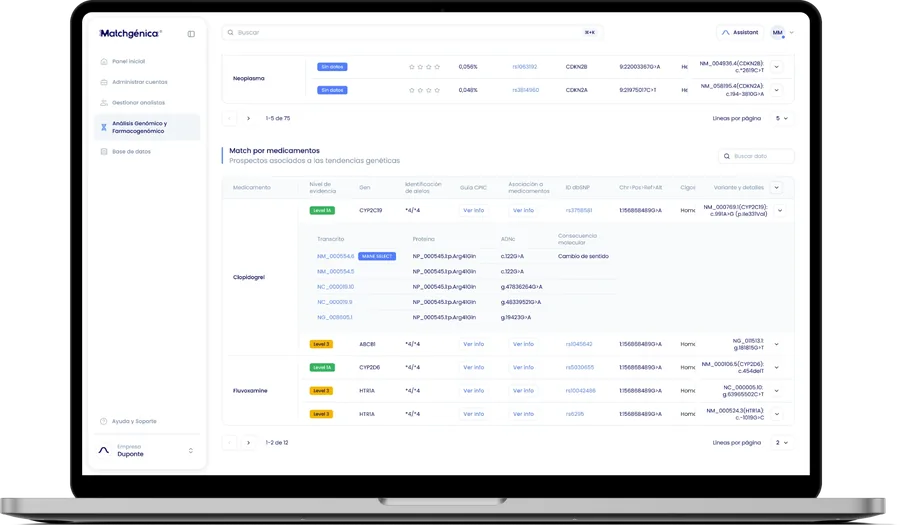
    Matchgénica links the detected variants to pharmacogenomic information from sources with CPIC guidelines, showing the results grouped by drug.

  • Filter the analysis without reprocessing the VCF

    You can narrow the results by gene, disease or drug. Filters are applied to the analysis already done, without having to run the matching again.

  • Report generation

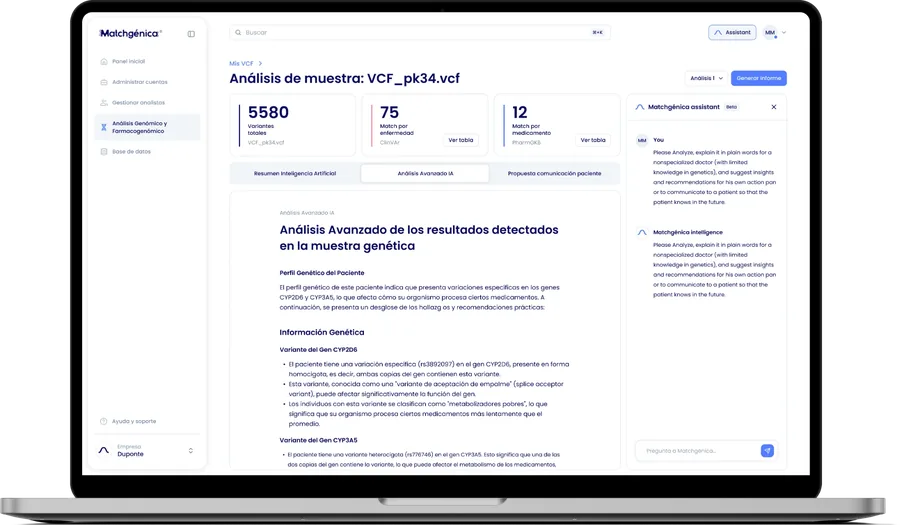
    Once the results have been reviewed, Matchgénica lets you generate a PDF report directly from the platform, so you do not have to transfer the analysis manually.

How it works

01 / 05

VCF file

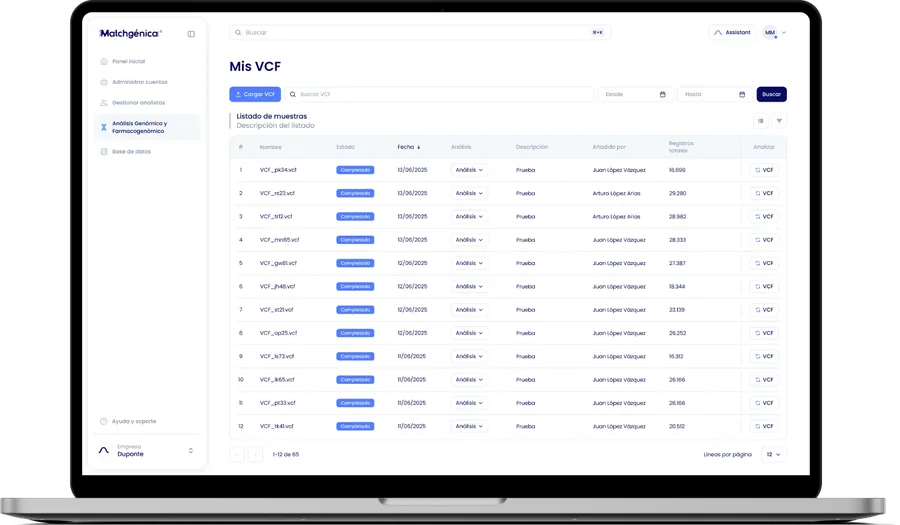
Upload the sample's VCF. It appears in your list with its status, date, who added it and the number of records.

02 / 05

Variant extraction

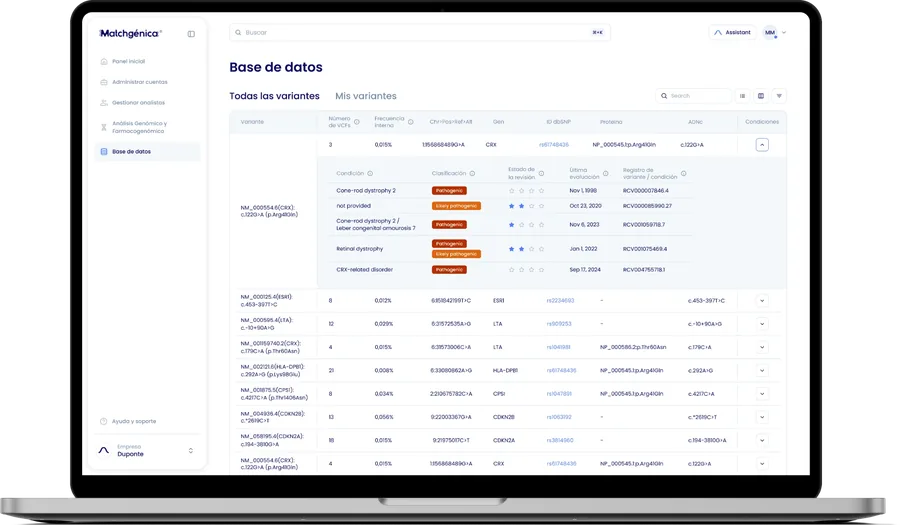
The platform reads the file and identifies each variant with its position, gene, dbSNP ID and cDNA and protein change.

03 / 05

Matching with reference databases

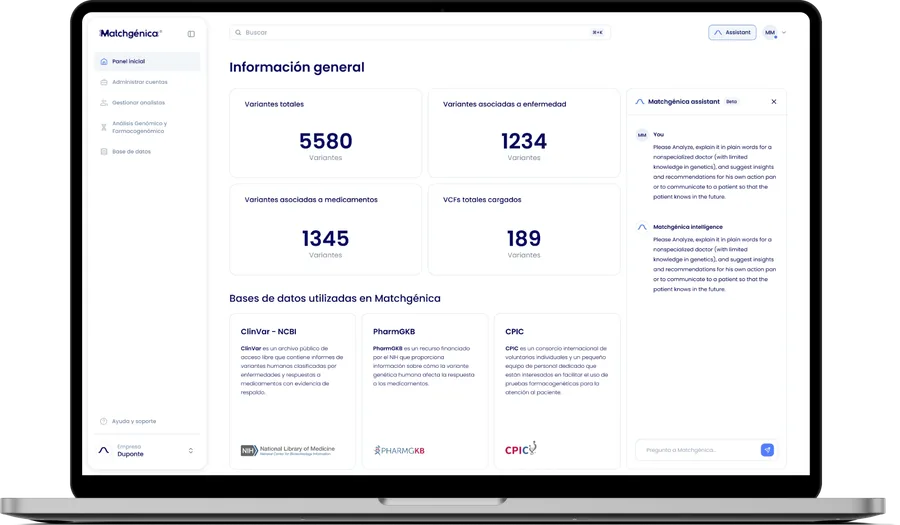
Variants are automatically compared with ClinVar, PharmGKB and CPIC, without looking up and cross-checking each source separately.

04 / 05

Results filtering

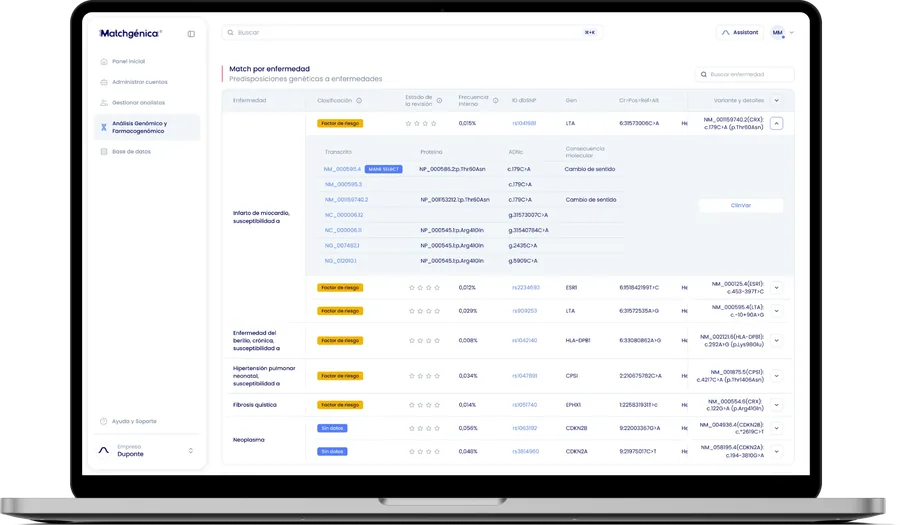
Review the results by disease, with their classification and review status, or by drug, with the level of evidence and the CPIC guideline.

05 / 05

Report

Generate the sample's PDF report, with a summary of the findings and a suggested way to explain them to the patient.

List of uploaded VCF files in MatchgénicaDatabase of extracted variants in MatchgénicaMatchgénica dashboard with the reference databasesMatchgénica results filtered by diseaseMatchgénica results filtered by drugSample analysis and report generation in Matchgénica

What you need to get started

A VCF file

Matchgénica works from VCF files with variants already identified. The file can come from data generated by Duponte or by another laboratory, as long as it is compatible with the platform's analysis workflow.

User access

The platform works through user accounts with different roles and permissions within an organisation.

Professional profile

It can be used by healthcare professionals, geneticists, bioinformaticians and research teams depending on the type of access contracted.

Licence and access model

Matchgénica is offered through a licence for organisations, with different models depending on the number of users or the volume of analyses.

Analysis of disease-related variants

Matchgénica lets you review the variants of a VCF in relation to specific diseases or conditions, using clinical reference information and standardised classification systems.

Identification of clinically relevant variants

Detected variants are checked against the sources it is connected to in order to retrieve information such as clinical classification, rsID and HGVS nomenclature where available.

Review by disease

Results can be grouped and filtered by disease or condition, using classifications such as ICD-11 and MONDO. This lets you review an analysis from a specific question without working through the whole set of variants.

Targeted filtering

You can narrow the results by specific genes or diseases on an analysis already done, without reprocessing the VCF file.

Data and access control

Control over genetic data

The files and results uploaded to Matchgénica remain under the control of the user organisation. Duponte does not use or share that information with third parties.

Access by users and permissions

The platform lets you define different profiles and permissions within the same organisation, so each user only accesses the functions that apply to them.

Analysis history

Each uploaded file can keep its analyses and results linked to it, making later consultation within the platform easier.

Protected environment

The platform includes authentication, role-based access control and protection measures to manage genetic information within a restricted environment.

Do you need to generate or prepare the VCF?

If you are starting from biological samples or raw sequencing data, we can prepare the earlier stages until we obtain the files needed for the analysis.

Request a Matchgénica demo

Duponte logo
Privacy Overview

This website uses cookies so that we can provide you with the best user experience possible. Cookie information is stored in your browser and performs functions such as recognising you when you return to our website and helping our team to understand which sections of the website you find most interesting and useful.